Iron Garden
Iron Garden is a top-down vehicle action shooter with independent movement and aiming. Defeat enemies and choose upgrade cards to shape your combat build across a connected run of 12 boss battles.
Controls
| WASD / Arrow keys | Move |
|---|---|
| Mouse | Aim · Hold the left button to fire |
| Space | Dash |
| Left Shift | Acquired manual weapon |
| Escape | Pause · Settings |
A keyboard and mouse are required. The initial game download may take some time.
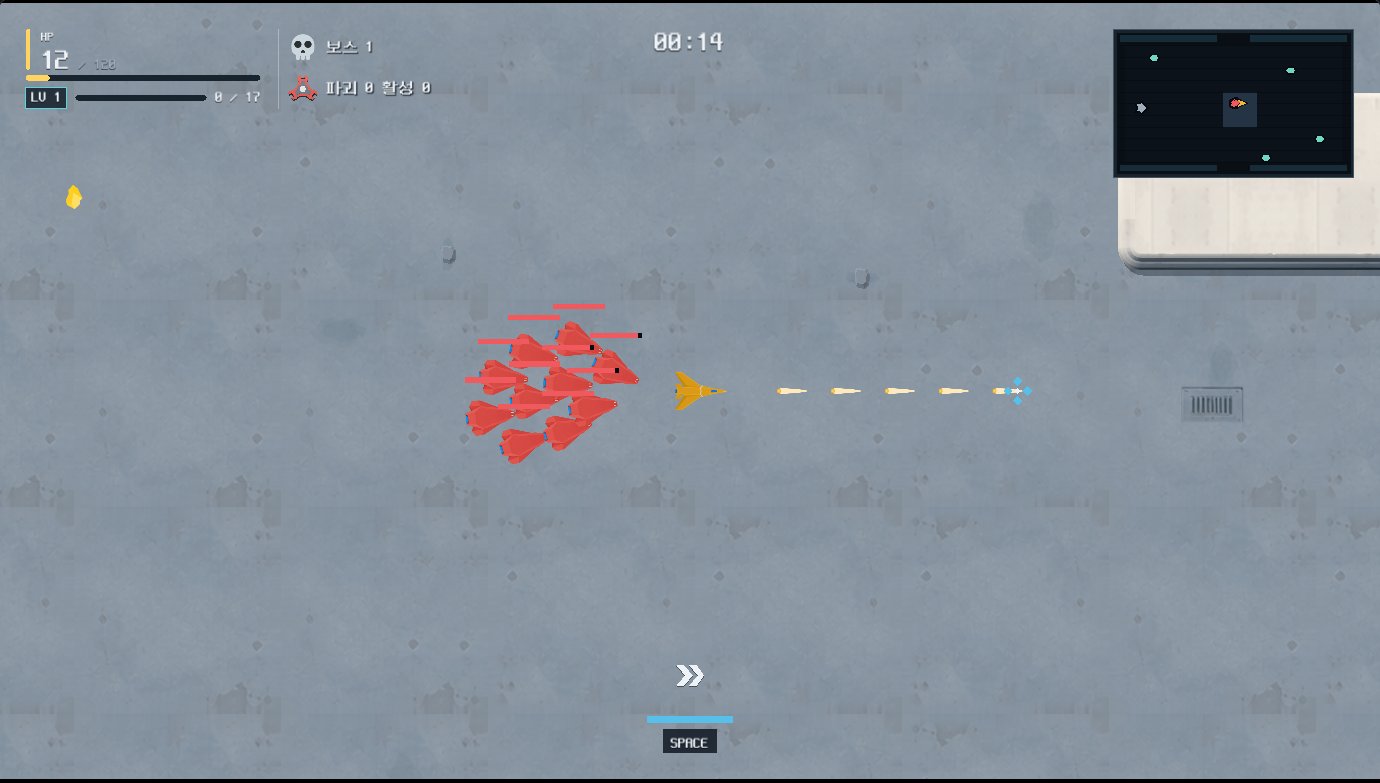
How a run works
Move with the keyboard while aiming with the mouse, and hold the left mouse button to fire. Defeat enough enemies to trigger a boss. The field and acquired upgrades carry into the next boss cycle, so you keep developing your build during one connected run.
Upgrades and manual weapons
Cards improve your weapons and vehicle. Space dashes; Left Shift uses an acquired manual weapon. Escape pauses the game and lets you open settings, where you can rebind combat keys or reduce motion. The controls table shows the defaults.
Which device do I need?
Play on a PC with a keyboard and mouse. Mobile touch controls are not supported.
Does loading take time?
The first launch requires downloading game files. If the game does not appear, use Open in new tab to visit the original game page.
Both games support Korean and English. Changing the portal language does not change the language inside a game.
What happens when I leave the game?
Returning to the list or guide closes the running game. Recently played records launches, not game progress. Game saves depend on the game and browser. Storage may differ between the original site and the portal.